Cast & sets
Consistent characters, shot after shot
In runime a character is a document, not a prompt. Its look lives on a model sheet with a turnaround board, every shot is drawn against that sheet, and once the character is in a rendered frame its look is locked so it cannot drift.
A 3D animated character portrait of Ada, an eleven-year-old girl who lives with her grandfather in an old lighthouse. Small and wiry, always in motion. Wild curly copper-red hair piled into a messy bun, freckles across her nose, big hazel eyes. She wears a bright mustard-yellow hooded raincoat over a navy-and-cream striped jumper, dark jeans and red rubber boots, with a small brass compass on a cord around her neck (her identity marker in every shot).
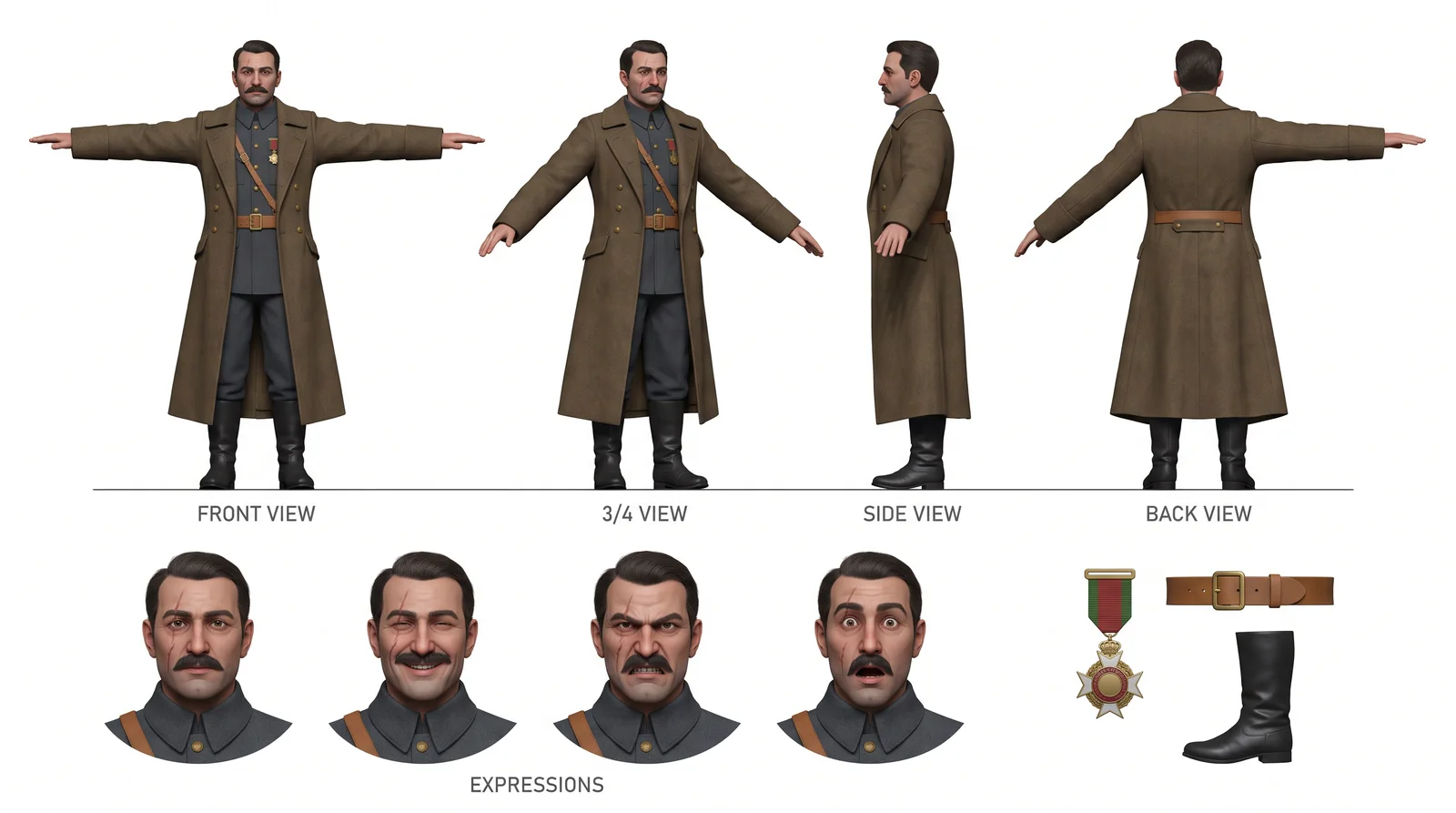
One wide turnaround (front, 3/4, side and back, plus expressions and accessory details), drawn in a single pass from this character's design. Every shot still and every video of this character is generated against it.
A model sheet for every character
Each character has a hero image and a wide turnaround board: front, three-quarter, side and back, with expressions and accessory details. Age, height, hair, outfit and a colour palette are fields you can read and edit, and the next render follows them. Every frame of the film is drawn with that board as its reference.
Locked once it is on screen
The moment a character is used in a rendered frame, its look freezes: the fields become read-only and its images can no longer be redrawn. The face in shot forty is the face from shot one, because nothing that is already in the film can change underneath it.
Two faces, two locks
When two named characters share a fresh frame, a second pass re-locks every face against its own sheet. The price on the button lists that second pass before you click, so the extra cost of keeping both faces right is never a surprise.
Checked after the render, too
Once a clip is rendered, an identity check compares the characters on screen with their references and with the clip's own first frame. A character who changes during the shot is flagged and the shot is retried, rather than shipped.
Questions and answers
Can I start a character from my own drawing or photo?
Yes. Create from an image crops your picture and rebuilds the character in the film's style; tick that it is already final and it is used as it is. A ready-made turnaround sheet can be adopted as the character's board.
What about crowds and narrators?
Mark a character as a crowd and its look is rebuilt in each shot, which suits a market full of strangers. Make a character voice-only and it speaks without ever being drawn.
Make your film
Start with a script or a single sentence. Every step shows its price before you pay for it.
Start a film